
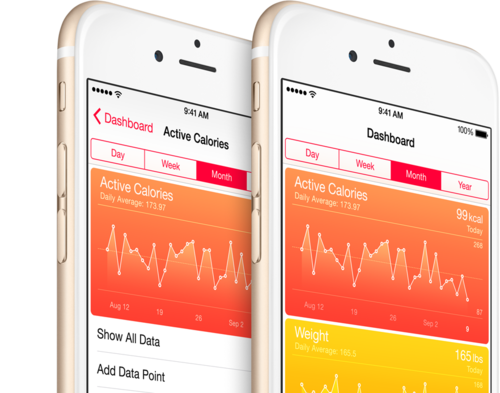
Apple Health stores health and fitness data from different apps in a single place on iOS 8. It’s already supported by several dozen popular apps. But how can you get hold of this data to do your own analyses? The options are:
- Create your own app, using the iOS HealthKit API (sorry, no Web API).
- Use the QS Access or Hipbone apps.
- Export the data from the Health app, and figure out how to process it.
In this post, we’ll show how to process files exported from the Health app with a simple NodeJS script, similar to in this previous post, where we showed how to convert CSV files to JSON files that can be imported into Zenobase for further analysis.
Before getting started, let’s have a look at a sample file exported from the Health app:
Some caveats:
- Despite what the header of the file implies, it’s not a well-formed XML document (maybe SGML?), so we’ll need to use an XML parser that is “lenient” (a.k.a. “non-strict”).
- Apple does not store time zones or even time zone offsets. When exporting, the Health app uses the current time zone offset to format the timestamps. In consequence, the timestamps differ depending on when the export was done (i.e. during or outside of daylight savings time), and where it was done (i.e. the current time zone)…
- Some of the data appears to be aggregated already, e.g. at the day level.
Following is the script we’ll use to process this file, and output JSON. You’ll have to tweak it to suit your needs; fields and units supported in Zenobase are documented here.
After installing the required modules with npm install sax saxpath xml2js moment, running node export.js export.json outputs this file:
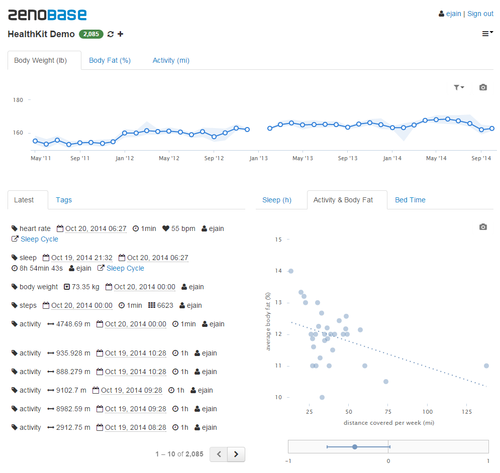
This file can be imported into Zenobase: Create a new bucket using the default template, choose Import from the drop-down menu, and once the data is imported, add and remove widgets until the dashboard looks something like this:
Credits: Thanks to @eramirez for providing us with sample data for testing!
.gist {width:500px !important;} .gist-file .gist-data {max-height: 500px;max-width: 500px;}