
Zenobase can export and import its own files (in JSON format) from and to any bucket, but how can we import arbitrary spreadsheets?
Most spreadsheets can be converted to a suitable JSON file with a little bit of scripting. We’ll use this spreadsheet as an example:
First, download and install Node.js, which lets us run scripts written in JavaScript on the command line. Then run npm install moment-timezone ya-csv to install the Moment.js module (for handling dates and times), and the ya-csv module (for reading CSV files) into the current directory.
The following script will read the spreadsheet above, and convert it to a JSON file:
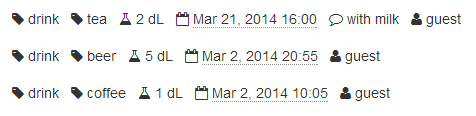
Run this script with node drink_convert.js < drink.csv > drink.json to get this result:
The drink.json file can be imported into any existing bucket. You might want to add some widgets, e.g. to show the total volume drunk over time, or the average volume drunk by day of week.
To adapt the script to your data, check out the list of supported fields and units in the API docs. If you need any help, please get in touch!